Turn a photo into an STL for 3D printing
Upload one photo of an object and download an STL file, 100 mm tall and ready for your slicer. Try it free.
Free: 3 drafts a day, shape only (no colours), no card needed. A draft takes about 2 minutes. Your first textured model is free with an account. Pricing
UK business · Payments by Stripe · Cancel any time · info@meshsmith.xyz
Meshsmith rebuilds the object in your photo as a 3D model, including the sides the camera can't see. Every model has an STL for 3D printing button next to the download. It gives you the same shape as an STL file, upright, centred and 100 mm tall, so it opens in PrusaSlicer, Bambu Studio, Cura or OrcaSlicer ready to scale and slice. STL files carry no colour, so you print the shape and paint it, or use a multi-colour printer's own painting tools.
From photo to print in three steps
Upload a photo in the studio and make a free draft. A draft is the shape only, which is all a 3D printer needs, and takes about 2 minutes. Turn it around in the viewer to check the legs, handles and thin parts came out right.
Press STL for 3D printing. The file downloads straight away: the conversion runs in your browser, so nothing waits on a server. Open it in your slicer, scale it to the size you want, add supports if it has overhangs, and print.
- Drafts are free: 3 a day without an account, 5 with one. No card needed.
- Higher qualities (Standard, High, Ultra) give more surface detail. They use credits from the Pro or Studio plan, and your first Standard model is free with an account.
What prints well, and what doesn't
Meshsmith makes artistic models: figures, creatures, props, game pieces, ornaments and decorations. It is not a CAD tool, so it doesn't make precise, measured parts. A bracket, a replacement clip or anything that has to fit another part needs a CAD program and a measured drawing.
- Solid, chunky shapes print best: statues, chests, helmets, creatures with thick legs.
- Thin parts such as sword blades, antennae and fingers may come out thinner than your nozzle can print. Scale the model up, or thicken them in Blender before slicing.
- One object per photo, on a plain background, gives the cleanest shape. Two objects in one photo come out as two shapes in one file.
- Flat or see-through things (glass, wire, fur, logos printed on a surface) don't rebuild well in 3D.
Models you can download as STL
Jade dragon figurine
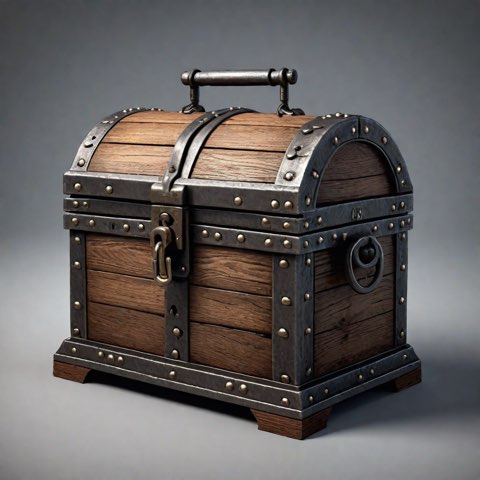
Treasure chest
Stone gargoyle
Size, scale and orientation
STL files have no units; slicers read them as millimetres. Meshsmith sets the model to 100 mm tall, stands it upright with its base at zero, and centres it, so it appears in the middle of the build plate. Scale it in the slicer to any size: 50 mm for a tabletop miniature, 200 mm for a display piece.
If the base is uneven, use your slicer's "place on face" or "cut" tool to give it a flat bottom, or add a brim or raft for better bed adhesion.
Other formats
The GLB download keeps the colours and textures, for game engines, AR and the web. For 3MF, OBJ or FBX, open the GLB in Blender (File → Import → glTF 2.0) and export the format you need.
Make your first model free
Your first draft costs nothing and needs no card. Try your idea first, then use credits for a finished model with colours and textures.
Free: 3 untextured draft models a day (shape only, no colours) without an account, 5 with a free account. No card needed. A draft takes about 2 minutes.
Frequently asked questions
Can I turn a photo into an STL file?
Yes. Upload a photo, make a free draft, and press STL for 3D printing. You get an STL of the 3D shape, 100 mm tall and ready for your slicer.
Is it free?
Drafts are free: 3 a day without an account, 5 with one, no card needed, and you can download a draft as STL. Higher-detail models use credits from a paid plan; your first Standard model is free with an account.
Will the STL be in colour?
No. STL files store only the shape. Print it in one colour and paint it, or use your slicer's painting tools on a multi-colour printer. The GLB download keeps the colours.
Can it make precise parts, like a bracket or a replacement piece?
No. Meshsmith makes artistic models from a single photo and guesses the hidden sides, so sizes aren't exact. Use a CAD program for parts that have to fit something.
What size will it print?
The STL is 100 mm tall. Scale it to any size in your slicer.